Professional live slideshows made easy
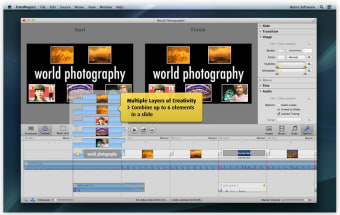
FotoMagico is a powerful but fun tool for allowing you to create professional slideshows from your photos and music in just a few mouse clicks.
Top Recommended Alternative

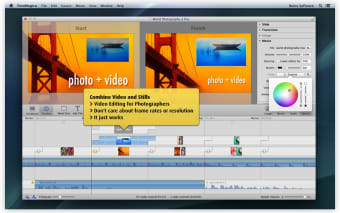
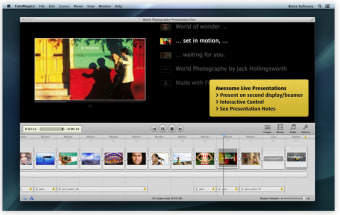
FotoMagico has a very easy-to-use and slick interface, which enables high quality images to be arranged into stunning presentations. Once you've selected the photos you want to use, you can scale, move, rotate, zoom or pan around your images in order to highlight the most important aspects of your presentation. There are lots of transitions to choose from which are especially suited to large displays, HDTV screens and even VGA projectors.
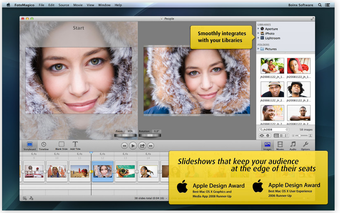
You can opt to burn DVDs of your slideshows, although the developer recommends using Roxio Toast for this. In addition, you can transfer them to your iPod or export them to QuickTime. Most recently, FotoMagico has been updated to integrate much better with iPhoto. So for example, iPhoto libraries of photos show up correctly instead of a generic icon in FotoMagico.
The only thing FotoMagico really lacks is advanced options for tailoring your slideshow. Some of these are available in the Pro version although that's obviously more expensive.
FotoMagico is a very powerful package for creating stunning photo presentations.
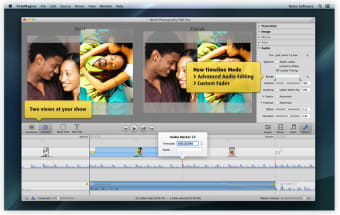
Layers can now have a mask, which lets you create interesting special effects. Masks can be animated independently from the layer image, movie, or title. Download a couple of sample slideshows here. Layer opacity can now be changed, thus enabling many interesting transparency effects. Auto Save is now supported, thus freeing you from having to select the Save command repeatedly while authoring a slideshow. Auto Save may be disabled in the Preferences window. Saving is now much quicker than before. Average save times for large slideshows have been reduced from a minute to less than a second in most situations. When resizing a title width, the title now stays centered, which is a much nicer behavior. When an audio track is muted, then any ducking occuring in this track is ignored. If a document window is obscured during fullscreen playback, various animations are now suppressed, to optimize playback performance. Color correction is reflected in Storyboard thumbnails. The ducking percentage textfield is enabled when needed. Sharing for DVD now exports 48 kHz audio instead of 44.1 kHz. Audio fades now sound similar in exported movies and live playback. Got rid of a visual glitch where all Storyboard thumbnails would briefly disappear after saving a slideshow. Got rid of a layout glitch in the Stage when a slideshow is first openend. Many edge case situations that led to inconsistent audio fades have been eliminated. These inconsistent states sometimes also caused failures to share a slideshow. Sharing assistant now warns you when chosen filenames contain illegal characters that could lead to problems down the road. Fixed incorrect rendering of layer opacity, if visibility was restricted to a portion of the slide lifetime. Fixed audio volume of a movie layer, that is not visible during whole slide lifetime. Audio timing is now much more reliable if a slideshow is started somewhere in the middle. Adding, moving, or adjusting very long audio files is now much quicker than before. Various small fixes.